
Tailor-made staff schedules… tailored to how salons work
That’s right! Until now, an employee’s schedule was fixed. And that’s fine when nobody needs different hours on particular days or a plan several weeks ahead. Shift work, a different pattern two weeks from now… or making time for someone who comes in once a month to do laser treatments, because that’s what you agreed. You had to keep track of it all by hand, for example by adding time blocks on the right days.
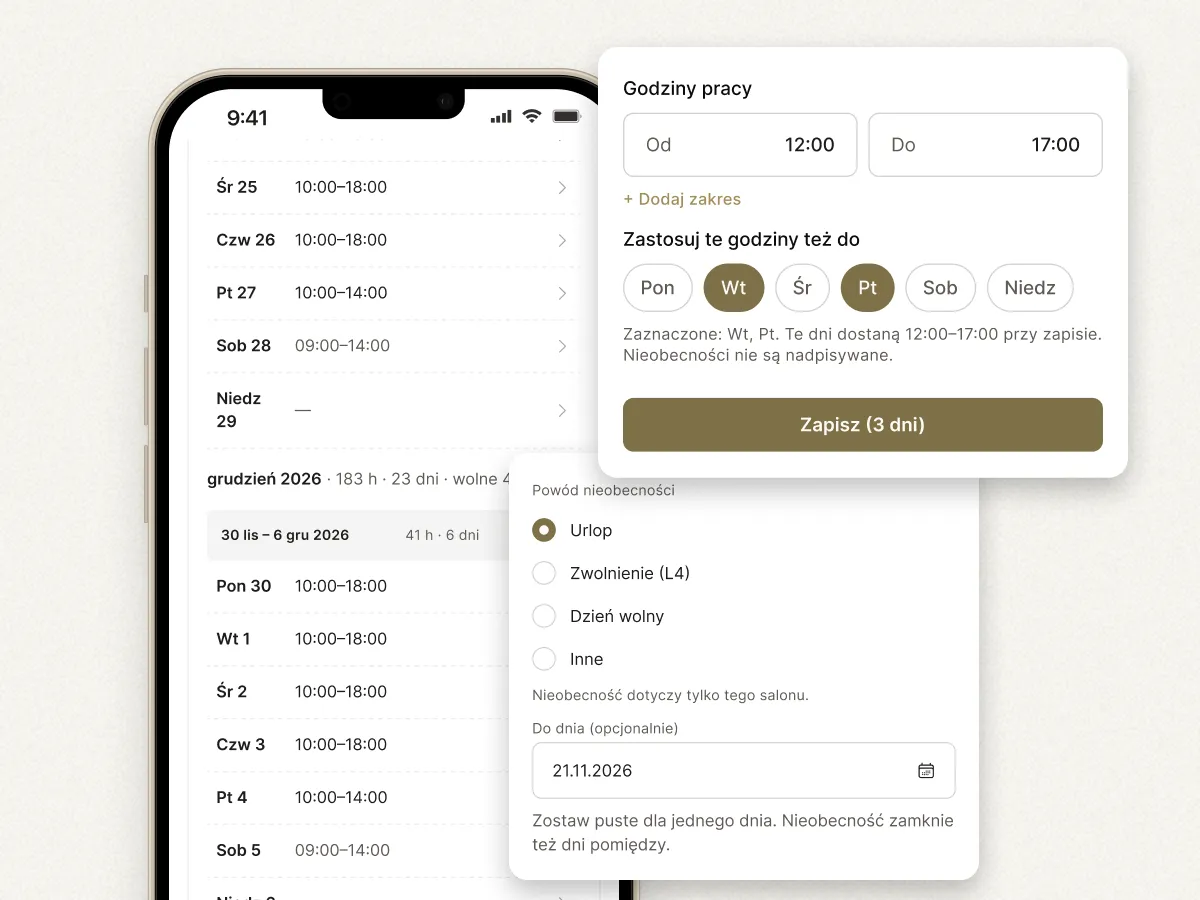
Now you plan each person’s schedule ahead, even day by day, exactly the way you want.
- Shift work: one week 8:00–14:00, the next 12:00–20:00.
- A laser specialist who comes in once a month or every other week: you set just those days.
What’s more, you enter several time ranges in a single day and fill the next week with a copy of the previous week or the one two weeks back, so you set up a repeating pattern just once. The copy only fills empty days and doesn’t carry over time off.
You mark vacation, sick leave, a day off or another reason for a single day or straight through to a date you choose. That person’s column in the calendar is then closed, and online booking doesn’t show their times. Appointments already booked stay where they are, and before you save you see how many there are. The employee also gets a notification about their schedule.
Sounds like a lot of juggling? 🤹 Quite the opposite. Try it in the app!
Where to find it
- Employees
- Work schedule
A huge thank you! For all the conversations we had about schedules… and for your patience 😉
New statistics: see how many clients come back and when your salon is full
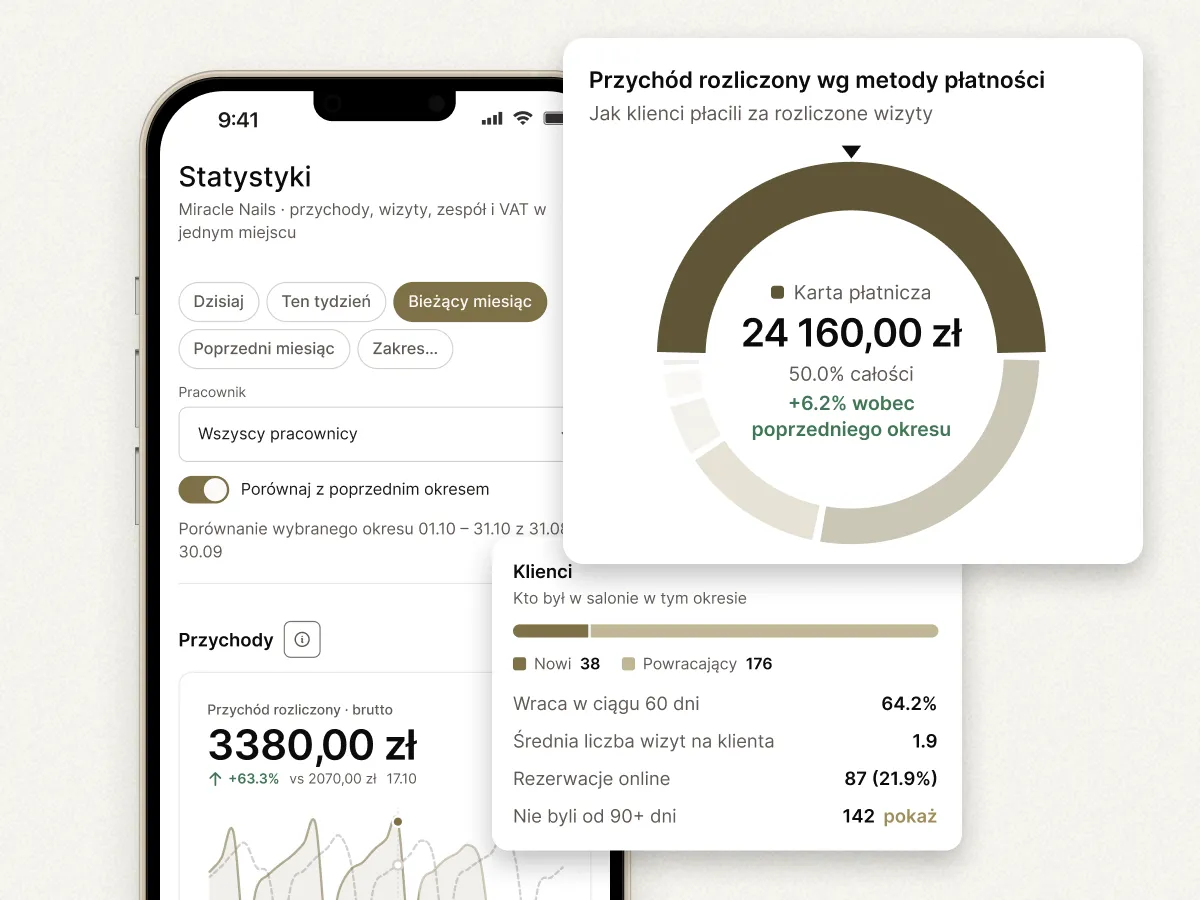
We know, we know… lots of numbers and data, enough to scare anyone. But seriously: statistics in Estetify have a new, clear layout. Instead of dry tables, you get one screen that you read from top to bottom, with simple charts instead of columns of figures. After a day’s work you know straight away how much came in as cash and how much by card, and what the team and each person brought in. At a glance you also spot the day of the week and the hour when you have the most clients.
What’s new inside:
- Revenue day by day as columns, with a line on top showing the same days of the previous period. You spot a weaker week before the month is over. Next to it, a chart of payment methods.
- Team occupancy and each person’s revenue, sortable by occupancy, revenue or number of appointments.
- Clients: how many are new, how many are returning, and how many come back within 60 days.
- No-shows: the day and hours when clients most often don’t turn up, plus lost revenue at list price.
- Unsettled visits: how many there are and for what amount, and “Settle” takes you to the calendar.
- Services that earn: a ranking of services by settled revenue or number of appointments.
Where to find it
- Statistics
Marketing: clients sort themselves into groups and texts send themselves
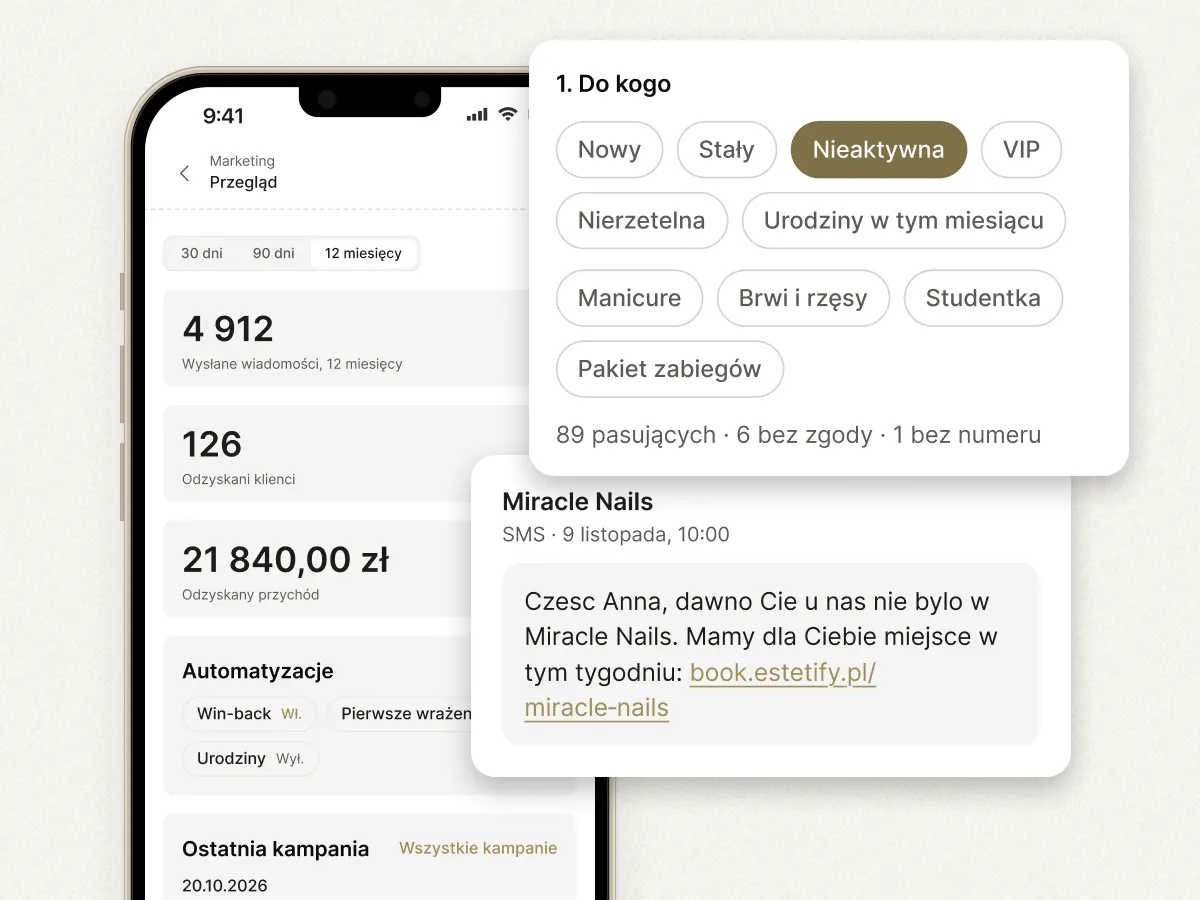
Marketing is now in the menu. It’s built on segments: groups of clients that Estetify works out from appointment history. You decide when a client lands in the new, inactive or “unreliable” segment (we’ll probably rename that one, suggestions welcome). Best of all: you don’t have to tag anyone by hand. Your client list sorts itself into:
- New: first visit less than 60 days ago,
- Regular: at least 3 visits in the last 12 months,
- VIP: the top 10% of clients by spend over the last 12 months,
- Inactive: 90 days without a visit,
- Unreliable: at least 2 no-shows or late cancellations in the last 6 months,
- Birthday this month.
You adjust the thresholds to your salon, and segments are recalculated every night and after every settled or cancelled appointment.
So when is this actually useful? For example, when you have free slots next week, you send a text only to Inactive clients instead of your whole client base. Or you’re launching a new service and give Regular and VIP clients first pick. When you book a client from the unreliable segment, you see a warning, so you know who to remind the day before or ask for a deposit.
Where to find it
- Marketing
- Segments
In the Automations tab you switch on texts that go out by themselves: to a client who hasn’t been in for 90 days, to a new client the day after their first visit, and birthday wishes on a client’s birthday, if you have their date of birth. You write the message in your own words, and the preview shows what the client will get. Messages come out of your SMS balance, go out between 10:00 and 20:00, and only to clients who agreed to marketing messages. If you already have consent, you confirm it for your whole client base with one button in Marketing → Overview, and you ask new clients for consent when you finalize their appointment.
Where to find it
- Marketing
- Automations
Thanks, Oliwia and Karolina, for being the first to test it and for all your questions! 🫶
And also
- Add up to 5 photos to each service, and clients see them on your booking page. Services & prices → Edit → Photos.
- Your booking page shows a map with a “Get directions” button. The client taps it and navigation takes them right to your door.
- When a service is done by at least two people, online booking starts with “Any employee” and shows free times for all of them straight away. The client sees the salon’s next free slot, not just one person’s schedule.
- The side menu has a new layout in three groups: Workspace, Management and Salon. If you look for something in its old place, the old address takes you to the new one. Everyone now sets the calendar’s look their own way, in My account → Calendar.